

Schools and tutors
Build a website for your school or tutorial centre
Parents compare schools online before they visit. Your website should show what a day at your school looks like, what you teach at each age, what it costs, and how to enrol before the deadline.
What a school website needs
A week at the school
Captioned photos of real lessons, sports and activities.
Programmes by age or class
Tabs for each level, nursery to secondary, or each subject for a tutorial centre.
Teachers
Faces, subjects and qualifications build trust with parents.
Fees and requirements
A clear fees table per term, and what each pupil needs to bring.
Enrolment with a deadline
A countdown to the end of admissions above an enrolment or assessment form.
Where you are
A map, your contacts and visiting hours.
For tutors and training centres
Private tutors
A one-page site with your subjects, your results, your rates and a WhatsApp button for bookings.
Training centres
Course pages with dates, fees and a registration form that emails you.
What it does not do
- There is no school management system: no pupil records, report cards, timetables or fee collection.
- Admissions forms arrive in your email. Fees are paid the way you already collect them.
Which plan you need
The template uses blocks from the Essential plan ($4.99 a month), such as forms, maps, galleries and tables. Essential gives you up to 10 pages per site, your own domain and no Acyera banner.
You can start free. A free site may publish paid sections for 21 days after its first publish, so you can see your real site live before you decide. The free plan on its own is one page with the basic blocks.
Start from a ready-made design
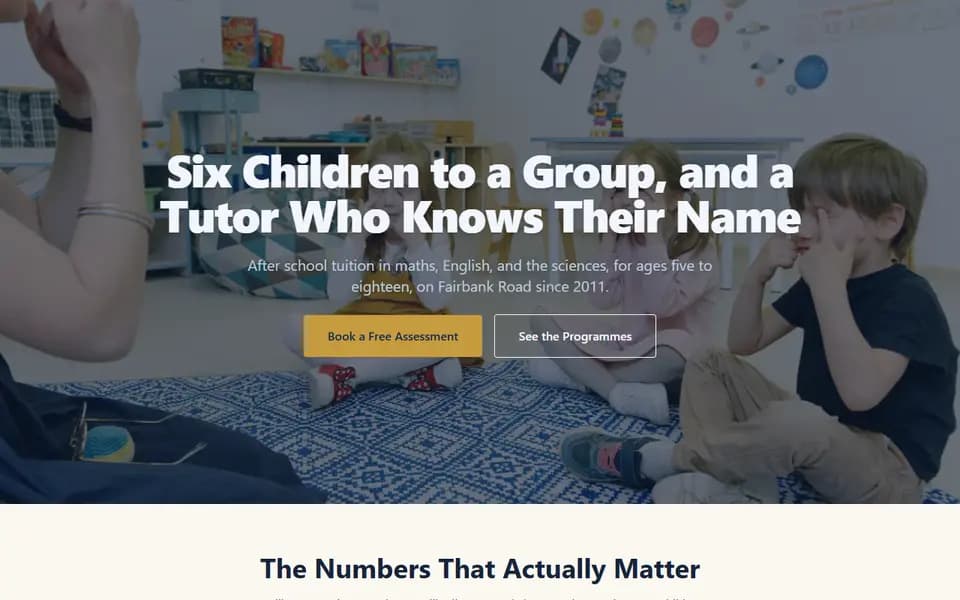
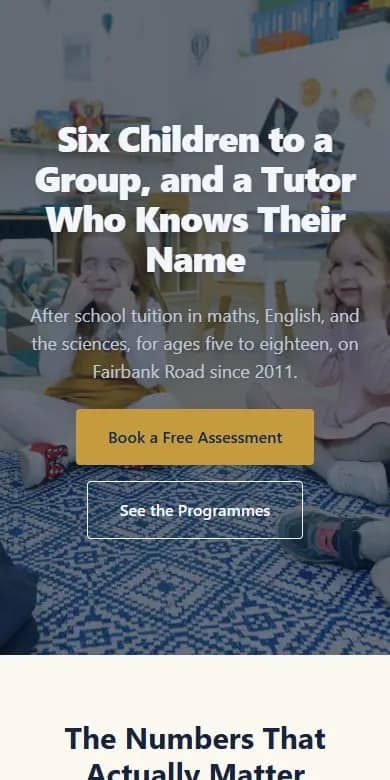
Schools and tutors
Fairbank Tutorial Centre
A page for a school, tutorial centre or academy. Programmes by age, the teachers, the fees, and an enrolment form with a deadline.
- Classroom photo header
- A week at the school in photos
- Programmes by age
- Teachers
- Fees table
- Parents speaking
- Enrolment form with a countdown
Opens in the editor with no account needed. Save it to a free account when you are happy.
Questions people ask
Can parents apply through the website?
Yes. Add an enrolment form with the fields you need, such as the child's name, age and class. Each application arrives in your email.
Can parents pay fees on the website?
Not through Acyera. You can show your school's bank and mobile money details, or link a button to a payment service you use.
Free guides
Start your website today
Describe your business and get a first page in under a minute, or start from a template. It is free to start.